
ShopAbout support
nSignia Software
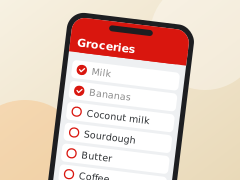
ShopAbout is a shared shopping list for families, for any shop: add what's needed, tick things off in the shop, and match purchases to the receipt.
Getting started
- Sign in with Apple, then make a list, or open an invite link someone sent you to join theirs.
- Type in the box at the bottom to add things, for example "2L milk" or "3 butter".
- Tap the cart next to an item when it's in your trolley.
Common questions
How do I share a list? On the list, ⋯ → List settings, then Invite in the Invite section, and send the link. It works once, for a week.
An invite link didn't open the app. Copy it, open ShopAbout, tap the Lists button and choose Join with a link.
How do I turn off the Claude features? Settings → Claude features.
How do I delete my account? Settings → Delete account. See the privacy policy for what's deleted.
Connecting an AI agent
Steps for Claude, ChatGPT, Gemini and others: connecting an agent.
Contact
Email info@nsignia.au and we'll get back to you. More about ShopAbout.